Sandworm Playground Controls
Master steering, camera, and smash timing so every breach hits more props.
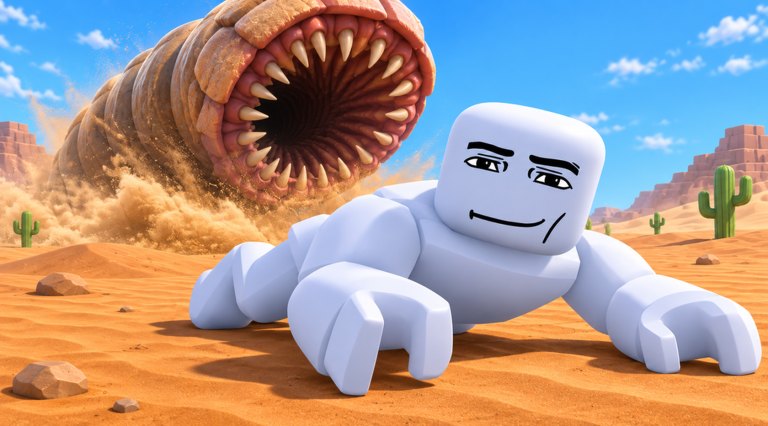
Sandworm Playground replaces the usual Roblox character controller with a long, segmented sandworm body. That change is half the fantasy and half the frustration. This controls guide explains how to steer on PC and mobile, how to keep the camera useful during chaos, and how to recover when your worm folds into itself or misses a prop pile.
If you came from the Getting Started page because movement felt wrong, stay here until a full circle around a prop cluster feels intentional.
Mental model: you are a train with teeth
Your head leads. Your body follows. Wide turns need space. Tight courtyards punish whip-fast camera flicks. Think like you are driving a flexible truck through a playground, not like you are strafing as an R15 avatar.
Destruction happens when the body collides hard with breakables. Grazing past objects at a shallow angle often wastes a pass. Line the mouth and mid-body through the densest column of props.
PC controls
| Action | Typical input | Tip |
|---|---|---|
| Steer / move | WASD or arrows | Tap strafe keys to tighten arcs |
| Camera | Mouse | Keep the head centered slightly above mid-screen |
| Zoom | Scroll wheel | Zoom out on long worms |
| Pause / menus | Esc / in-game buttons | Redeem codes from here |
On PC, small mouse adjustments beat large swipes. When you oversteer, release forward movement for a beat and let the body settle before re-accelerating into the next smash.
Mobile controls
| Action | Typical input | Tip |
|---|---|---|
| Move | Left thumb stick / dynamic joystick | Lower sensitivity if the worm snakes wildly |
| Camera | Right-side drag | Re-center after every big collision |
| UI | On-screen buttons | Landscape mode helps long bodies |
Mobile players should enable a stable grip. One-handed play makes camera drift worse, which makes you miss XP piles. If Roblox touch controls feel sticky after a rejoin, leave and re-enter the experience once.
Camera habits that earn more XP
- Keep upcoming props in the top third of the screen so you can plan the curve.
- Zoom out when you unlock a longer sandworm from the roster.
- After a multi-prop explosion, pause camera motion for half a second — the physics debris can hide the next cluster.
- In contested servers, watch other worms’ paths so you peel toward untouched piles.
Good cameras feed the XP farming routes. Bad cameras make even S-tier worms from the tier list look weak.
Collision and smash timing
Approach dense structures with a slight angle so more body segments clip objects in sequence. Head-on taps break the first prop but can bounce you away from the rest. Sweeping breaches that drag the mid-body through benches, walls, and crates chain XP faster.
If you get stuck inside geometry:
- Reverse direction if the controls allow a back-drive
- Wiggle with short lateral inputs instead of holding one turn
- Rejoin only after ten seconds of honest recovery attempts
Platform-specific troubleshooting
High ping: Destruction may desync. Prioritize large, obvious props over tiny debris. Low FPS: Zoom out less and avoid stacking every graphics slider; physics toys love frames. Gamepad: Treat triggers as commit buttons for long forward charges through mall-like prop rows if your device maps them that way.
Practice drills (five minutes)
- Figure-eight around two prop clusters without stopping.
- Clear one cluster using only wide arcs — no panic camera spins.
- Swap to a different unlock (if you have one) and repeat drill one to feel length changes.
- Redeem any new codes, then repeat a farm loop from XP farming.
Controls and unlock choices
Some sandworms are harder to drive. Before you spend a premium unlock on a stylish but sluggish body, compare handling notes in How to Unlock Sandworms and the tier list. Beginners should prioritize forgiving steering over pure flex.
Related reading
- Getting Started — session goals
- XP Farming — where to steer
- Guides Hub — full tutorial map
- Updates — control changes after patches
Once steering is boring, you are ready. Boring controls mean your brain is free to hunt XP instead of fighting the camera.
Frequently Asked Questions
Quick answers for Sandworm Playground players.
Why does my sandworm feel hard to turn?
Long bodies need earlier turn inputs. Zoom out, start curves sooner, and avoid flicking the camera during a smash.
Are mobile controls supported?
Yes. Use a stable dual-thumb setup in landscape and lower sensitivity if the worm snakes.
What do I do if I get stuck in props?
Wiggle with short lateral moves, reverse if possible, and rejoin only after a brief recovery attempt.
Should controls change which worm I unlock?
Yes. Prefer forgiving handlers early; save awkward novelty worms for later flex unlocks.