How to Redeem Sandworm Playground Codes
A clear redemption checklist so free gifts land on your account before they expire.
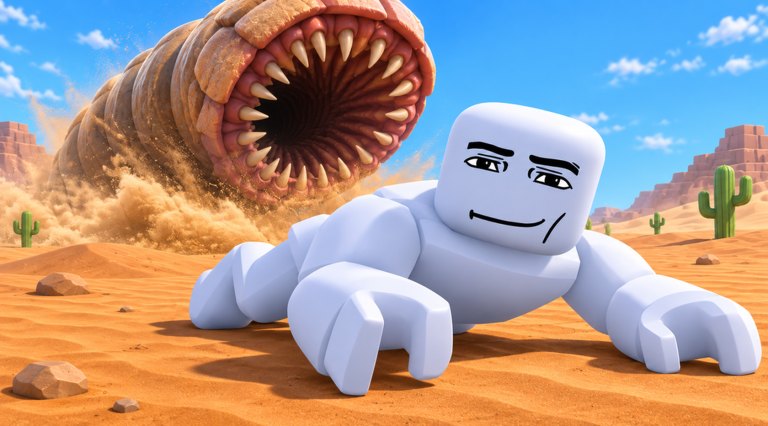
Promo codes are useless if you cannot find the redeem box. This guide walks through Sandworm Playground code redemption on Roblox from spawn to confirmation toast, then covers the usual failure messages players hit after a busy update night.
Pair this page with the live table on the Codes Hub. Redeem anything marked active the same day you see it — Kami Stuff. milestone gifts can expire quickly once visits climb past another million.
Before you open the menu
- Launch the official experience: Sandworm Playground on Roblox.
- Wait until your sandworm finishes loading into the playground. Redeeming during the load screen often fails silently.
- Confirm you are on your main account. Codes are almost always one redeem per Roblox account.
- Keep this wiki and the game side by side so you can copy strings without mistyping.
Step-by-step redemption
- Look for a Codes, Shop, Store, or Settings button on the HUD after spawn.
- Open that panel and switch to the Codes tab if the UI splits rewards and settings.
- Tap the text field and paste the code exactly as listed — capitalization and punctuation matter.
- Press Redeem, Submit, or the green confirm button.
- Watch for a success toast, inventory ping, or unlock currency change before closing the menu.
UI labels move after patches. If the Codes button vanished, check Shop first, then Settings, then any gift icon near the edge of the screen. The Updates Hub notes when Kami Stuff. relocates menus.
What a successful redeem looks like
- A short confirmation message naming the reward
- XP boost timers appearing near your HUD
- New currency in the unlock shop
- A worm skin or cosmetic unlocked in the collection menu
Open the sandworm roster or tier list after a worm reward so you know whether to equip it immediately or keep farming on your current body.
Common errors and fixes
| Message / symptom | Likely cause | Fix |
|---|---|---|
| Invalid / incorrect code | Typo, expired string, or rumor code | Recopy from the Codes Hub active table |
| Already redeemed | Same account already claimed it | Stop retrying; check inventory instead |
| Nothing happens | Redeemed during load or lag spike | Rejoin once, then try again |
| Button missing | UI patch moved the panel | Search Shop / Settings; skim updates |
| Works for friends only | Region delay or staged rollout | Wait, rejoin, then recheck the hub |
Never download “code unlockers.” Real Sandworm Playground codes are free public strings posted by the developers or verified community channels.
Mobile vs PC differences
On mobile, the Codes field can sit behind a smaller Shop icon. Rotate to landscape if the keyboard covers the Redeem button. On PC, paste with Ctrl+V and avoid adding a trailing space from chat copies.
If touch aiming already feels rough, finish redemption first, then tighten movement with the Controls and Mobile Tips guides before you burn an XP boost in a sparse area.
After you redeem — spend the gift wisely
- If you received an XP multiplier, walk into a dense prop cluster from the XP farming guide before the timer ends.
- If you received unlock currency, compare options on the tier list instead of buying the flashiest icon.
- If you received a cosmetic-only worm, keep your best farmer equipped for grinding and use the skin for showcases.
- Return to the Codes Hub after the next visit milestone — Sandworm Playground crossed multi-million visits quickly and more gifts often follow chart spikes.
Safety rules while redeeming
- Use only the official Roblox client and the official game link on our Links Hub.
- Ignore Discord DMs that ask for your password to “apply a code.”
- Treat scripts as a separate, high-risk topic — executors are not required to redeem codes.
- Bookmark this how-to page so the steps stay one tap away when a new string drops mid-session.
Redeeming takes under a minute when the UI is familiar. Learn the path once, then every future Sandworm Playground code becomes free progress instead of a scavenger hunt.
Frequently Asked Questions
Quick answers for Sandworm Playground players.
Where is the Codes button in Sandworm Playground?
After you spawn, open Shop, Store, Settings, or a dedicated Codes icon on the HUD. Patches can move the label, so check those panels in order.
Do I need a script to redeem codes?
No. Codes redeem inside the normal Roblox client. Avoid executors marketed as code tools.
Why does my code say already redeemed?
Each account usually gets one claim. Check your inventory or unlock menu — the gift may already be there.
Should I redeem before or after farming?
Redeem first, then spend XP boosts inside dense smash routes from the XP farming guide so the timer is not wasted.